“I know I have it somewhere.”
Keep the receipt, photo, warranty, and contact with the thing they belong to.
One place for the places and things you care about
Receipts, contacts, warranties, photos, and work history where they belong—connected to the home, vehicle, or item they cover. Three photos start a folder. Past work belongs on the timeline too. You choose public or private on each record.
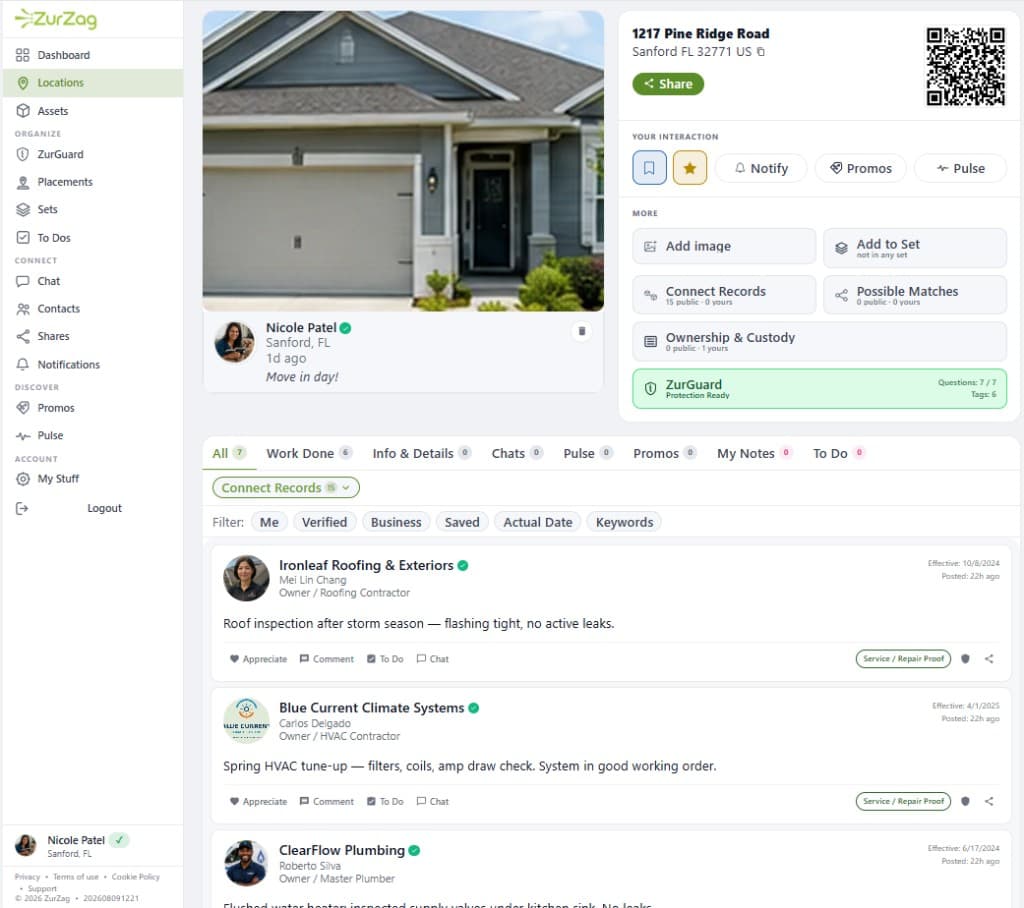
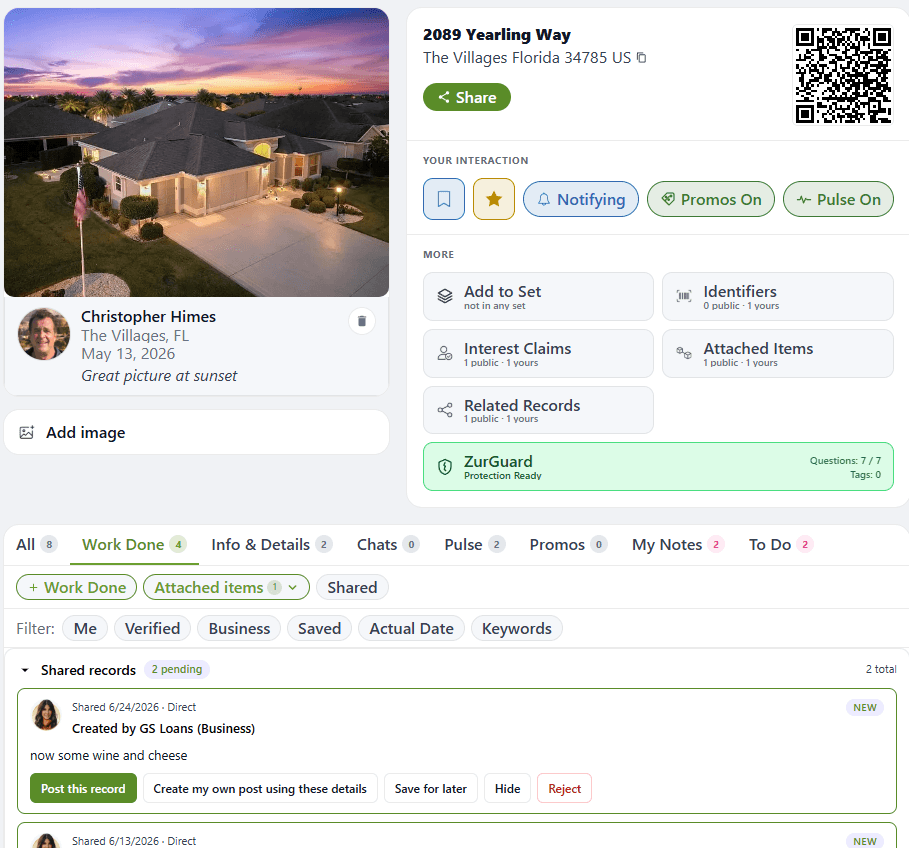
Home recordWork history stays with the place
FINALLY HAD ENOUGH
Phone photos, old emails, text threads, that drawer, the garage, your spouse's phone. The proof exists—finding it is the problem.
Keep the receipt, photo, warranty, and contact with the thing they belong to.
Add the business, completion date, and work details to the folder for that home or item.
Add an event today or record work that happened years ago—use the actual date.
IT STARTS THIS SIMPLY
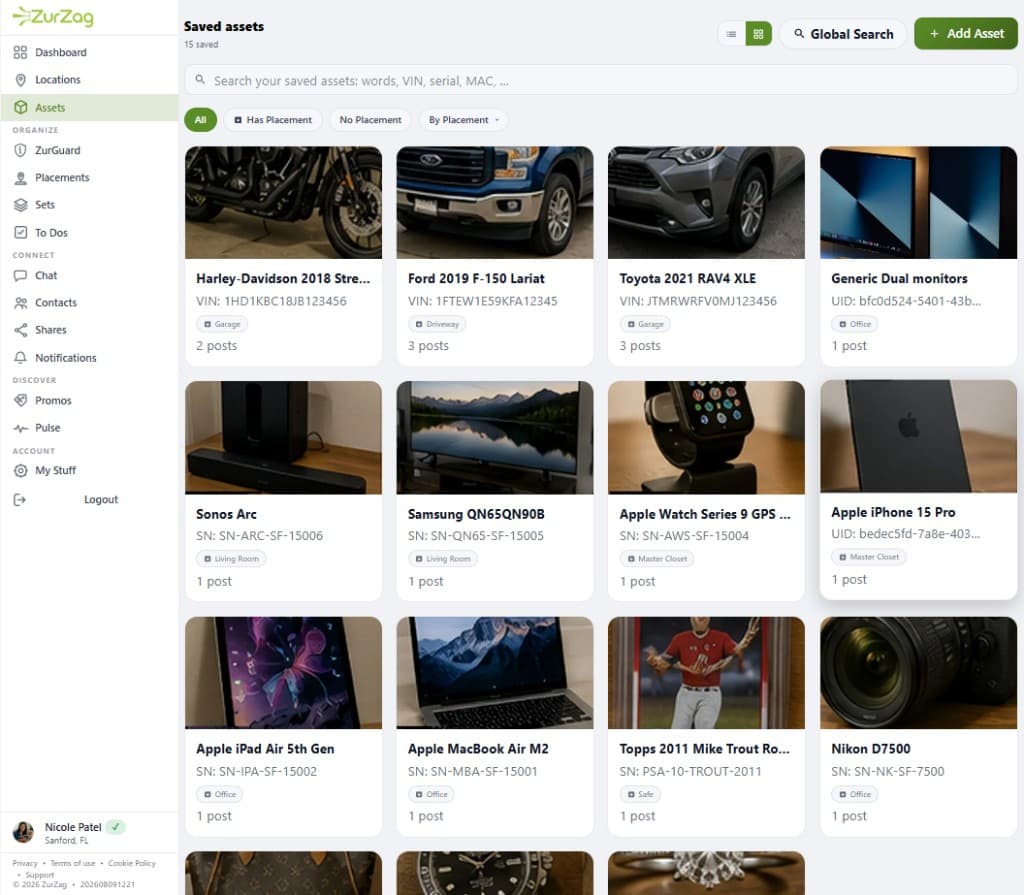
Front, label, and a detail shot. AI reads the brand, model, and serial. You confirm. The folder exists—with a first photo, the identifier, and documentation photos in one step.
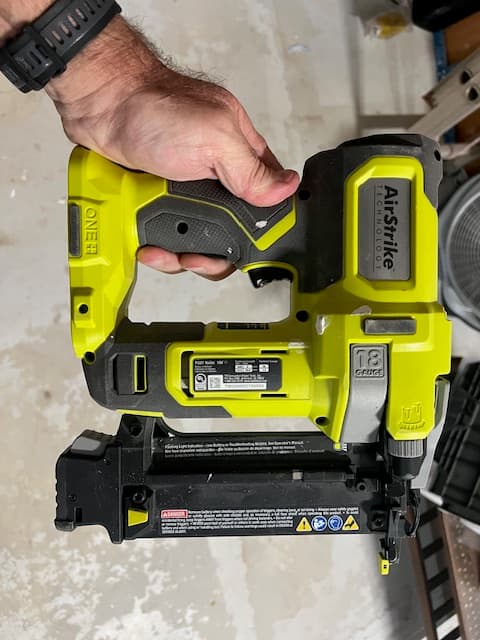
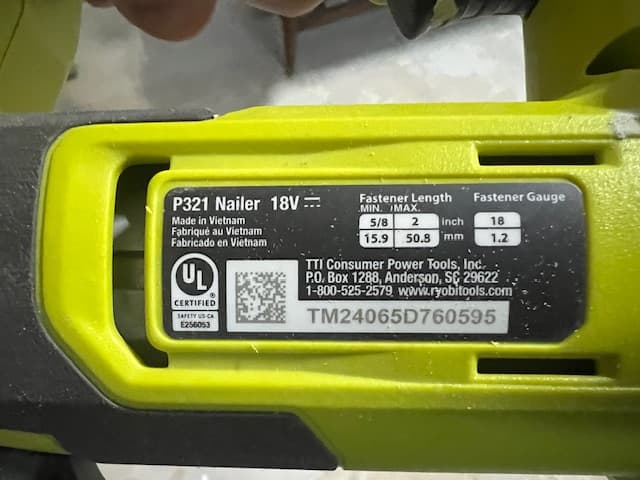
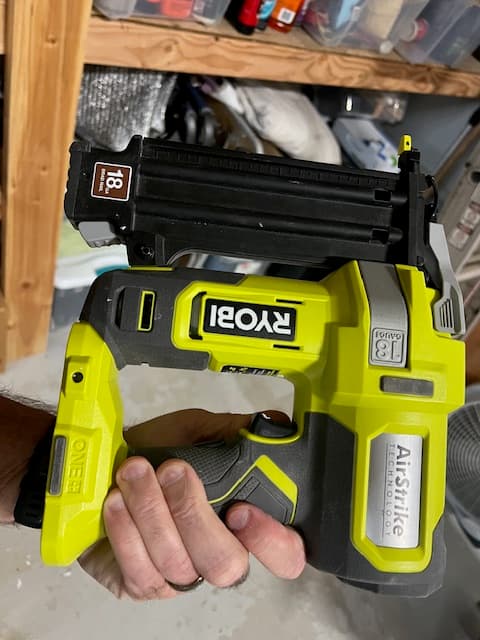
What you get in one step
NOT JUST THE HOUSE
A folder is a shared public space for a home, vehicle, tool, appliance, collectible, or valuable. Snap three photos of the thing in front of you. Anyone can find an existing folder or create one when it doesn't exist. No person or business owns it.
A HISTORY THAT GROWS BOTH WAYS
The roof was replaced in 2019. Put that date on it. Today's repair belongs next to it. Zurzag uses the date the work happened—not the day you remembered to write it down.
Add past eventsRecord what happened using the actual or approximate date—a kitchen remodel from July 1, 2020 sits beside today's repair.
Keep evidence nearbyAttach receipts, contacts, photos, serials, and notes to the same folder so the proof is with the thing it belongs to.
Keep adding from todayThe timeline is not forward-only. Catch up what you already lived, then drop in the next job as it happens.
REAL PRODUCT. USEFUL MOMENTS.
Start with the detail you need today. Every useful addition makes the next question easier to answer.
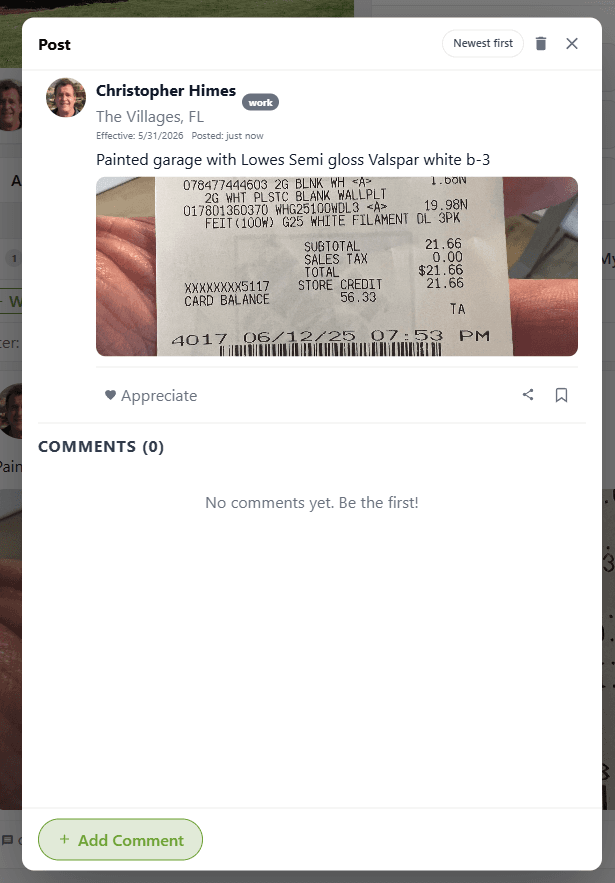
Post the work, use the date it happened, and attach the receipt while it's still easy to find.
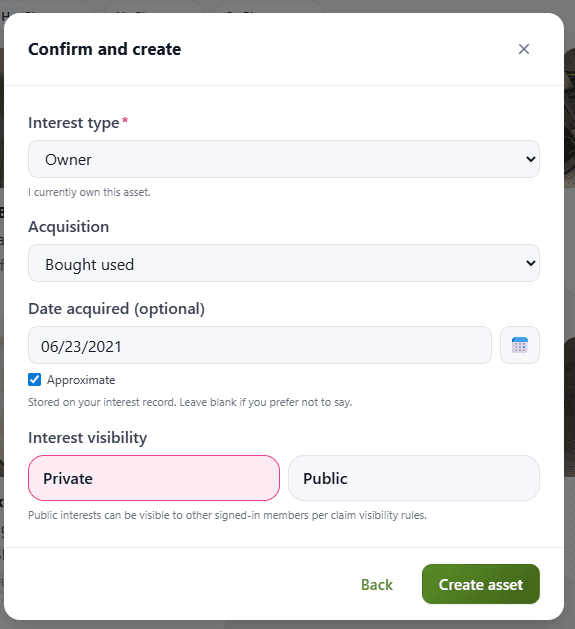
Add when you acquired an item—even approximately—and choose the layer that fits. A private record can be made public later.
People and businesses can add their own records to the same public folder. Each contributor controls the visibility of their own record—not the folder or anyone else's work.
YOU DON'T DO IT ALONE
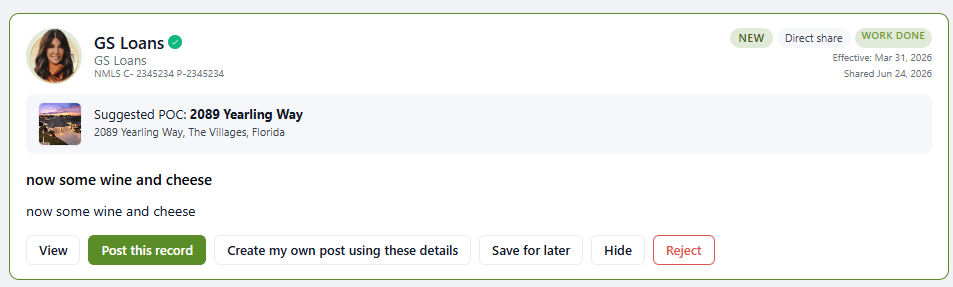
Less typing for you. Less “I know I have it somewhere.” When the folder is shared, the history fills in from more than one direction.
Adds the AC repair the day it's done—model, parts, warranty, date. You don't have to remember.
Drops the exterior paint job into the folder—colors, coverage, finish date. Ready when a buyer asks.
Starts or contributes to the folder at closing so the new owner doesn't inherit a mystery.
Add what you already have—a remodel from July 1, 2020, exterior paint from May 22, 2024, or today's repair.
Nobody owns the folder. Every contribution makes it more useful.
WHEN TO START
Not because a disaster is coming. Because a normal life moment is already on the calendar.
The remodel date, the roof warranty, who serviced the HVAC. Put it in the folder now and hand over a documented history, not a stack of maybes.
A remodel from 2020 belongs in the same folder as today's contractor. Add the date it happened—even approximately—then keep dropping in purchases, warranties, and work as they occur.
When shopping insurance, renewal, or a claim shows up, condition photos and receipts are in one place—not scattered across a decade of devices.
The worst time to build the history is when someone is already asking for it.
WHEN TRUST MATTERS
Upgrade when a folder needs to carry more weight—a clearer relationship to it, recognized Verified status with participating businesses, and readiness tools for the moments that ask more of you.
A completed identity check on your account—so your status is clearer when someone needs to trust it.
A documented ownership or occupancy attestation, with a stronger audit trail.
Businesses that check Zurzag can see your Verified status without accessing your private information.
Evidence tagging, guided readiness, claim and theft packets, and the Insurance Center—included with Verified.
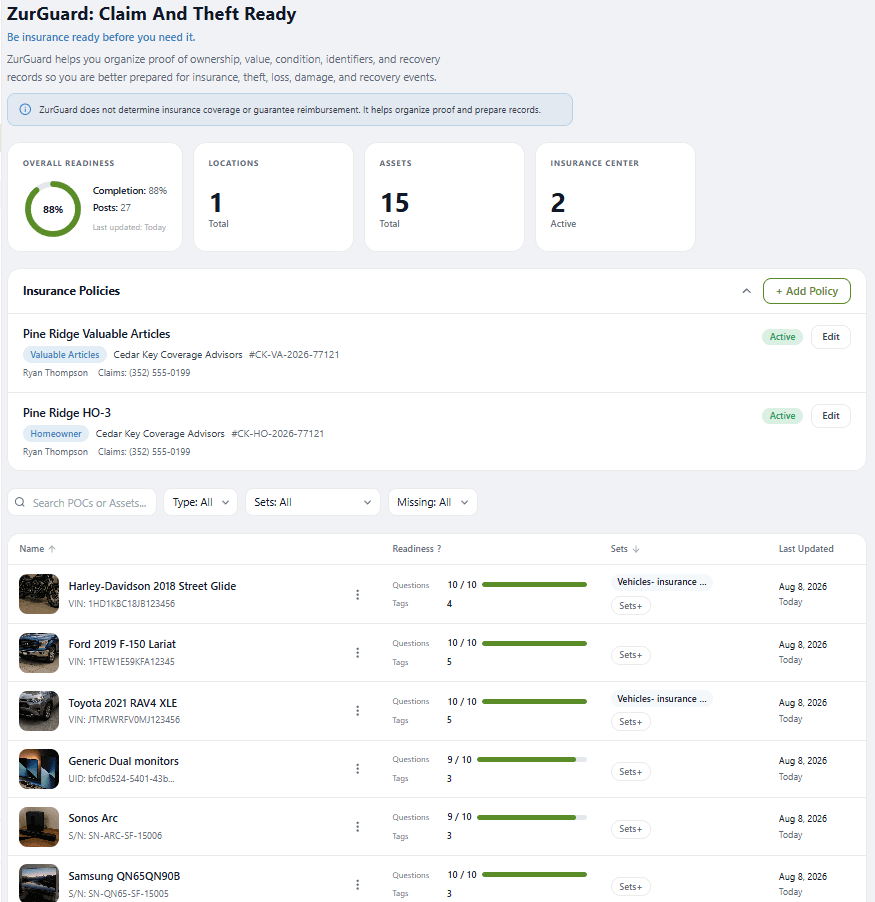
IF THE WORST HAPPENS — INCLUDED WITH VERIFIED
Serial numbers, receipts, condition photos, warranties, and the businesses who did the work. ZurGuard keeps them in the folder before the day you need them — not something you rebuild from memory when the adjuster asks.
Know what's documented and what still needs attention.
Prepare focused sets to share with an adjuster or insurer.
Policies alongside the homes and assets they cover.
ZurGuard helps you organize and prepare. It does not determine coverage or guarantee reimbursement.
Get Verified to unlock ZurGuardSIMPLE BY DESIGN
The free experience solves a real problem before anyone pays. Upgrade when trust and readiness become worth more.
FURTHER PATHS
Real-estate professionals and affiliates have clear paths from here. The individual is still the primary audience.
Contribute to the property folder, invite the client, and stay useful after closing. Every party controls what they post.
See the pro workflowInvite your audience into a genuinely free experience, then earn when a referred member chooses Verified.
Become an affiliateCOMMON QUESTIONS
No. Three photos of one thing is enough: a front shot, a label shot, and a detail shot. Confirm what AI found, and the folder exists. Add more only when it helps.
Yes. Use the date the event actually happened, even when you add the record later. A kitchen remodel from 2020 can sit beside work completed today. You are catching up a timeline, not starting one from scratch.
Yes—that's the point. The people who did the work can add the record when it's done. You don't have to reconstruct history alone. Each contributor sets their own record's visibility. You still control yours.
Every record shows who posted it and when. Verified contributors carry a recognized status. Public records are visible to everyone; private ones are only visible to the person who posted them until they choose otherwise.
Verification means you've completed an identity check and, optionally, documented your relationship to a specific folder. It doesn't make your information more truthful—it makes your status clearer. Participating businesses can see Verified status without accessing your private information.
ZurGuard is the readiness layer included with Verified: guided checklists, evidence tagging, claim and theft packets, and an Insurance Center—so if something happens, the details are already organized. It helps you prepare; it does not determine coverage or guarantee reimbursement.
START WITH THE THING YOU NEED MOST
Three photos of one thing is enough to begin. Add the 2019 roof later. Keep going from there.